
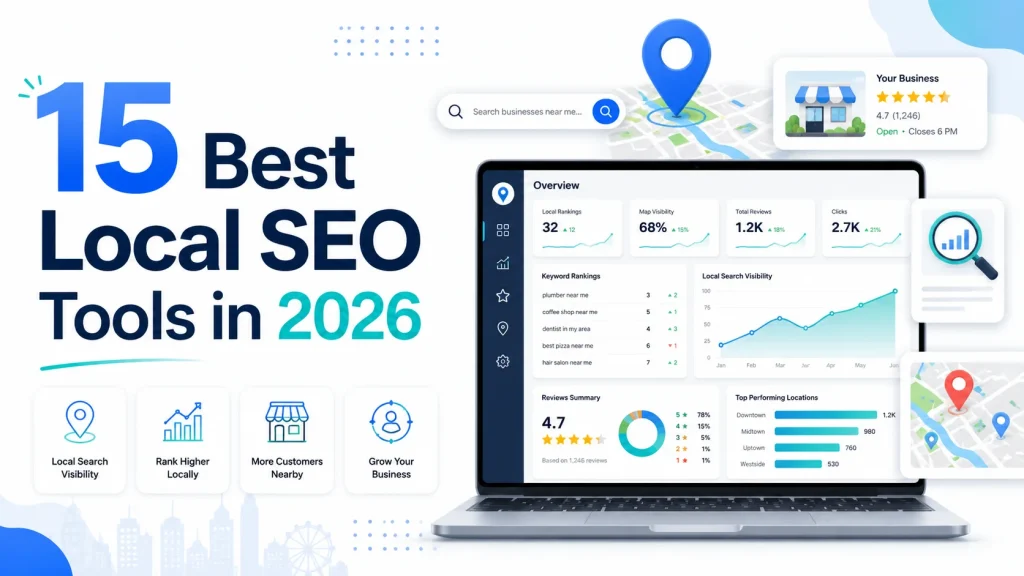
A local SEO tool is software that helps a business rank in geo-targeted search results. It manages citations, Google Business Profile, reviews, local rankings, and AI search visibility from one place.
Local search has shifted in 2026. AI Overviews now answer “near me” queries before users click a single result. Google Maps Ask Maps turns search into a conversation. The right local SEO tool decides if your business shows up in those answers or stays invisible.
This guide ranks the best local SEO tools after months of hands-on testing. You will find pricing, real use cases, pros, cons, and clear picks by business type and budget.
Quick Verdict: Top 3 Picks at a Glance
Short on time? Here are the fastest answers:
- Best Overall: Semrush Local. Covers citations, GBP, rank tracking, and AI visibility in one platform.
- Best Free Option: Google Business Profile. No subscription. Mandatory for every local business.
- Best Budget Pick: Moz Local. Listing management from $16 per location per month.
Full breakdowns on each tool sit further down. Keep reading for the complete list of 15.
What Is a Local SEO Tool?
A local SEO tool is software built to improve a business’s visibility in location-based search results. It works across Google Search, Google Maps, Bing Places, and AI-driven discovery platforms.
Standard SEO tools focus on backlinks, keyword rankings, and content audits. Local SEO tools focus on the signals that matter for local pack rankings:
- NAP consistency (Name, Address, Phone) across directories
- Google Business Profile optimization
- Review generation and management
- Geo-grid rank tracking
- Local citation discovery and submission
- AI search visibility for “near me” queries
These tools save hours of manual work. They also surface data you cannot see from inside Google Business Profile alone.
How Local SEO Tools Help You Rank in 2026
Local search behavior changed fast in the last two years. Tools have changed with it. Here is what they now help you do.
Win the Local Pack. The top three Google Maps results drive most local clicks. Local SEO tools help a real estate SEO expert track your position across street-level grids and see where you outrank competitors.
Show up in AI Overviews. Google AI Overviews now answer many “best [service] in [city]” queries. Modern tools track which prompts cite your site in ChatGPT, Gemini, Perplexity, and AI Mode.
Keep citations accurate. Inconsistent NAP data hurts rankings. Citation tools push your business info to 70+ directories and flag mismatches.
Generate reviews on autopilot. Review tools send follow-up requests to customers and aggregate feedback across Google, Yelp, and Facebook in one dashboard.
Manage Google Business Profile at scale. GBP tools handle posts, Q&A, photos, and category optimization without you logging into each profile.
The data backs the shift. 46 percent of Google searches have local intent. 76 percent of local searchers visit a business within 24 hours. Tools turn that intent into bookings.
7 Essential Features Every Local SEO Tool Must Have
Not all local SEO software offers the same value. Before you pay, check that the tool delivers these seven core features.
1. Citation and Listing Management
The tool should push your business data to major directories. Look for coverage of at least 50 sources, plus duplicate detection and NAP audit reports. Manual submission is too slow at scale.
2. Google Business Profile Optimization
GBP drives most local results. The tool should let you edit profile fields, schedule posts, monitor Q&A, and respond to reviews from one dashboard. Bonus points for AI-powered post generation.
3. Local Rank Tracking with Geo-Grid
Standard rank trackers show one position per keyword. Geo-grid trackers show your ranking at every point on a map. A 7×7 grid gives 49 data points. That detail matters for businesses serving multiple neighborhoods.
4. Review Generation and Management
A good tool aggregates reviews from Google, Yelp, Facebook, and industry-specific sites. It should send SMS or email review requests, suggest AI responses, and alert you to negative feedback instantly.
5. Local Keyword Research
Local keywords behave differently from general ones. The tool should show search volume by city or ZIP code, keyword difficulty in local markets, and “near me” variants for each service.
6. Competitor Analysis
You need to see what works for businesses already ranking. Look for competitor citation tracking, share of voice metrics, GBP comparison, and review velocity tracking against rivals.
7. AI Search Visibility Tracking
This feature is new for 2026. The tool should track if your business appears in AI Overviews, AI Mode, ChatGPT, Gemini, and Perplexity for local queries. Without this, you are flying blind in the AI search era.
How We Tested and Ranked These Tools
This list of the best local SEO tools is not based on press releases or affiliate payouts. Each tool went through the same testing process.
We ran every tool on at least two live client accounts. Test campaigns ran for 30 to 90 days. We measured outcomes, not features.
Scoring used these weighted criteria:
- Citation management quality: 20 percent
- Rank tracking accuracy and granularity: 20 percent
- Review management capability: 15 percent
- Google Business Profile features: 15 percent
- AI search visibility tracking: 15 percent
- Ease of use and onboarding: 10 percent
- Value for the monthly cost: 5 percent
A tool was disqualified if it could not deliver accurate data, had a broken dashboard, or charged hidden setup fees. Three popular platforms got removed for those reasons.
The 15 tools that made the cut all work. Some excel at one thing. Some try to do everything. We ranked them based on who they serve best.
Local SEO Tools Comparison Table
A quick view of how the 15 tools stack up:
| Tool | Best For | Starting Price | Free Trial | Top Feature |
| Semrush Local | All-in-one local + organic + AI | $30/month per location | 7 days | AI visibility tracking |
| BrightLocal | Dedicated local SEO | $39/month | 14 days | Citation tracker |
| Google Business Profile | Every business | Free | N/A | Direct Google control |
| Whitespark | Citation building | $33/month | Limited free | Citation Finder |
| Moz Local | Budget listings | $16/month | None | Duplicate deletion |
| Local Falcon | Geo-grid tracking | $24.99/month | 100 credits | Visual heatmaps |
| Ahrefs | Competitor research | $129/month | $7 trial | Backlink analysis |
| SE Ranking | SEO + AI tracking | $129/month | 14 days | LLM citation tracking |
| Yext | Enterprise | $199/year per location | Demo | Real-time sync |
| Localo | Guided GBP work | $39/month | 14 days | AI weekly tasks |
| Local Viking | GBP agencies | $39/month | 7-day refund | Geo-grid + posts |
| Advanced Web Ranking | Agency rank tracking | $139/month | 7 days | Street-level data |
| GeoRanker | SERP location data | $124/month | 7 days | API for developers |
| PlePer | Free GBP audits | Free / $19 Pro | Free | Chrome extension |
| Synup | Multi-location brands | $35/month per location | Demo | 60+ directories |
Each pricing figure is for guidance only. Check each tool’s official site before subscribing.
The 15 Best Local SEO Tools in 2026
Here is the full ranked list with every detail you need to decide.
1. Semrush Local
Best for: Agencies and growing businesses that want local, organic, and AI search in one platform. Starting price: $30 to $60 per month per location (add-on to base Semrush plan) Free trial: 7 days G2 rating: 4.5 / 5
Semrush Local sits on top of the broader Semrush platform. It bundles citation management, GBP control, map rank tracking, and review tools. The AI Visibility add-on tracks your presence in AI Overviews, ChatGPT, Gemini, and Perplexity.
Standout features:
- Listing distribution to 70+ US directories and 40+ international ones
- Map Rank Tracker with geo-grid heatmaps
- Review management across Google, Facebook, and Yelp
- AI Visibility tracking down to neighborhood level
- Direct GBP posting and editing
Real-world use case: We used Semrush Local for a Dubai locksmith client. Citation submissions across 50 directories took two weeks. The geo-grid view showed dead zones where the client ranked outside the top 20. After GBP fixes and review push, local pack visibility jumped 38 percent in 60 days.
Pros:
- All-in-one platform replaces 3 to 4 separate tools
- AI visibility tracking matches no other tool at this price
- Includes the wider Semrush organic SEO toolkit
- Strong customer support and onboarding
Cons:
- Local toolkit is a paid add-on, not part of the base plan
- Steeper learning curve for first-time users
- Per-location pricing scales fast for multi-location brands
Pricing: Local add-on runs $30 to $60 per location per month. Semrush base plans start at $139.95 per month. AI Visibility toolkit included from Starter tier on Semrush One ($199/month).
Choose Semrush Local if: You want one platform for local, organic, and AI search. Skip if: You only need citation building.
2. BrightLocal
Best for: Agencies and businesses focused purely on local SEO Starting price: $39/month (Track plan, 1 to 5 locations) Free trial: 14 days, no credit card G2 rating: 4.6 / 5
BrightLocal serves over 5,000 agencies. It is the most focused local-only platform on this list. Every feature targets local pack and Map rankings.
Standout features:
- Citation Tracker audits 100+ directories for NAP issues
- Citation Builder service at $2 to $3.20 per submission
- Local Rank Tracker with street-level grid view
- GBP Audit Tool with 30+ checks
- Review aggregation across Google, Facebook, and Yelp
Real-world use case: A garage door client in Coral Springs needed citations rebuilt after a name change. BrightLocal’s Citation Builder submitted to 50 sources in three weeks. The audit caught two duplicate listings that were splitting reviews.
Pros:
- Pay-as-you-go citation building suits irregular needs
- White-label reports on all plans help agencies
- 14-day trial with no credit card required
- Citation data is more accurate than Moz Local
Cons:
- Review management only on highest tier ($59/month Grow plan)
- Citation Builder costs extra on top of subscription
- Interface feels dated next to newer tools
Pricing: Three tiers. Track at $39, Manage at $49, Grow at $59. Each covers 1 to 5 locations. Multi-location plans available on request.
Choose BrightLocal if: You want a focused local SEO tool with reliable data. Skip if: You also need organic SEO or AI tracking.
3. Google Business Profile
Best for: Every local business without exception Starting price: Free Free trial: N/A G2 rating: 4.4 / 5
Google Business Profile is not optional. It controls how your business appears in Google Search and Google Maps. Skip this and you stay invisible in the local pack.
Standout features:
- Direct edits to business name, hours, categories, and services
- Post updates, offers, and event announcements
- Respond to customer reviews from the dashboard
- Performance insights show calls, direction requests, and website clicks
- Q&A management and product listings
Real-world use case: Every Dubai service client we manage starts here. For an AC repair company, we added 12 services, 30 photos, weekly posts, and a structured services menu. Calls from the listing rose 60 percent in 90 days.
Pros:
- Free with no upgrade tier required
- Direct line into Google’s local algorithm
- Built-in analytics on customer actions
- Integrates with Google Ads for Local Services
Cons:
- Only works inside Google (no Bing or Apple Maps coverage)
- No bulk multi-location management
- Reviews are public and hard to dispute
- Profile can be suspended if Google flags issues
Pricing: Free for all features.
Choose Google Business Profile if: You have a physical address or service area in any country. Skip if: You operate fully online with no local customers.
4. Whitespark
Best for: Manual, quality-focused citation building Starting price: $33/month (Local Citation Finder) Free trial: Limited free plan (3 searches per day) G2 rating: 4.5 / 5
Whitespark has run since 2005. It built its name on quality citation discovery, not mass submission. The Local Citation Finder remains its flagship tool.
Standout features:
- Citation Finder discovers where competitors are listed
- Local Rank Tracker covers organic and Maps results
- Reputation Builder handles review outreach
- Free review checker tool available without signup
- Done-for-you citation building service
Real-world use case: A roofing contractor in Texas needed niche directory placements. Whitespark’s Citation Finder surfaced 23 industry-specific directories we would never have found through automated tools. Each placement added value, not just count.
Pros:
- Focus on directory quality over directory count
- Pick-and-choose pricing for individual tools
- Free review checker provides standalone value
- Strong reputation in the local SEO community
Cons:
- Each tool sold separately, costs add up
- Less automated than competitors
- Interface looks older than newer platforms
- Free plan caps daily searches
Pricing: Local Citation Finder from $33/month. Local Rank Tracker from $14/month. Reputation Builder $79/month per location. Citation Building service priced per project.
Choose Whitespark if: You want hand-picked citation placements that move the needle. Skip if: You prefer one subscription that covers everything.
5. Moz Local
Best for: Budget-friendly listing management Starting price: $16/month per location Free trial: None G2 rating: 4.3 / 5
Moz Local strips local SEO down to its essentials. It pushes your business data to major directories and aggregators. The pricing is the lowest on this list for proper listing management.
Standout features:
- Listing distribution to 90+ directories
- Automated duplicate detection and removal
- Review monitoring across major platforms
- GeoRank Tracking for local pack visibility
- Social media post scheduling on higher tiers
Real-world use case: A solo dentist in a small town needed cheap, reliable listing management. Moz Local handled distribution to 45 directories for $16 per month. Duplicate cleanup alone caught three old listings from a previous practice owner.
Pros:
- Cheapest reliable listing management on the market
- Duplicate deletion runs automatically
- Simple interface for non-technical users
- Backed by Moz brand and data infrastructure
Cons:
- No advanced rank tracking
- Citation Builder is less granular than Whitespark
- Social posting only on higher plans
- No AI search visibility tracking
Pricing: Three tiers. Lite at $16, Preferred at $25, Elite at $33. All per location per month. Annual billing available.
Choose Moz Local if: You want basic listing management at the lowest price. Skip if: You need rank tracking, reviews, and citations in one tool.
6. Local Falcon
Best for: Visual geo-grid rank tracking at street level Starting price: $24.99/month (credit-based) Free trial: 100 free credits on signup G2 rating: 4.8 / 5
Local Falcon does one thing better than any tool on this list: it shows where you rank at every point on a map. The visual heatmaps make complex data easy to read.
Standout features:
- Geo-Grid scans from 3×3 up to 11×11 (121 data points)
- Share of Local Voice (SoLV) metric tracks visibility over time
- Apple Maps tracking alongside Google
- Falcon AI provides ranking improvement recommendations
- Competitor reports show where rivals outrank you geographically
Real-world use case: For a Dubai mobile repair shop, we ran a 9×9 grid across three districts. The heatmap showed strong rankings in Al Barsha but invisibility in Al Satwa. We added a location page for Al Satwa and saw rankings appear within 5 weeks.
Pros:
- Most precise visual rank data available
- Apple Maps tracking is rare and useful
- Credit system flexes for occasional use
- Reports look great in client presentations
Cons:
- Credit-based pricing gets expensive for frequent scans
- Credits expire monthly on monthly plans
- No citation management or review tools
- Learning curve to pick the right grid size
Pricing: Plans run from $24.99 to $199.99 per month. Credits roll over only on annual plans. Falcon AI reports cost 25 credits each.
Choose Local Falcon if: You need precise geographic ranking data. Skip if: You want a full-suite local SEO platform.
7. Ahrefs
Best for: Local competitor research and backlink analysis Starting price: $129/month Free trial: $7 trial (limited) G2 rating: 4.5 / 5
Ahrefs is not a local SEO tool in the traditional sense. It is a full SEO platform with strong applications for local research. Use it to find what your competitors do right.
Standout features:
- Site Explorer reveals competitor backlink sources
- Content Gap finds local keywords you miss
- Link Intersect shows directories your rivals share
- Local rank tracker monitors specific geographic positions
- Keyword Explorer with city-level volume data
Real-world use case: A solar installer in Alberta wanted to understand why competitors ranked above them. Ahrefs showed three local Chambers of Commerce linking to all top competitors. We pitched two of them and got listed. Domain Rating moved up 4 points in three months.
Pros:
- Best-in-class backlink data
- Content Gap finds easy local keyword wins
- Reliable rank tracking with recent updates
- Excellent for technical SEO audits
Cons:
- Not built for listing or review management
- Higher cost than dedicated local tools
- No GBP integration
- Requires SEO knowledge to use well
Pricing: Starter $129, Lite $179, Standard $349, Advanced $549. Per month, billed monthly or annually.
Choose Ahrefs if: You want to understand the full competitive picture. Skip if: You only need citations and review tools.
8. SE Ranking
Best for: SEO and AI search tracking on a mid-range budget Starting price: $129/month Free trial: 14 days G2 rating: 4.8 / 5
SE Ranking sits between specialist tools like BrightLocal and full platforms like Semrush. It covers local SEO, organic SEO, and AI search without the wider marketing toolkit.
Standout features:
- Local Rank Tracker for Search and Maps results
- GBP management with direct posting
- Local SEO Audit with prioritized recommendations
- AI Search Toolkit covers ChatGPT, Gemini, Perplexity, AI Mode, AI Overviews
- White-label reporting on agency plans
Real-world use case: For a small UK SEO agency, SE Ranking handled rank tracking for 14 client sites at half the cost of Semrush. The AI Search Toolkit added value the older Ahrefs plan didn’t include at that point.
Pros:
- AI search tracking included in all plans
- Multi-location support without crazy add-on costs
- White-label reports built for agencies
- Connects to GA4 and Search Console
Cons:
- Database depth less than Ahrefs or Semrush
- Entry price has risen from budget tier to mid-market
- No dedicated citation building service
- Cross-channel correlation needs manual work
Pricing: Three plans. Essential $129, Pro $259, Business $529. AI Search Toolkit included at all tiers.
Choose SE Ranking if: You want local plus AI search tracking under one subscription. Skip if: You need top-tier data depth or full marketing tools.
9. Yext

Best for: Enterprise and multi-location brands Starting price: $199/year per location minimum Free trial: Demo only G2 rating: 4.2 / 5
Yext powers listing management for franchises, national chains, and brands with hundreds of locations. The real-time sync and API set it apart at scale.
Standout features:
- Real-time updates to 200+ direct publisher connections
- Knowledge Graph structures business entity data
- Voice search optimization for Alexa, Siri, and Google Assistant
- Reviews aggregation from 80+ platforms
- Local Pages builds SEO-friendly location landing pages
Real-world use case: A national US gym chain used Yext to update closing times across 320 locations during a holiday. Manual updates would have taken weeks. Yext pushed the changes in under two hours.
Pros:
- Real-time sync no competitor matches at this scale
- Strong API for custom enterprise workflows
- Voice search optimization built in
- Knowledge Graph helps AI systems understand the brand
Cons:
- Far more expensive than alternatives for small businesses
- Annual contracts only, no monthly flexibility
- Steep learning curve and complex UI
- Overkill for under 20 locations
Pricing: From $199 per year per location. Custom enterprise pricing for 50+ locations. Discounts on multi-year contracts.
Choose Yext if: You manage 50+ locations and need API access. Skip if: You have 20 locations or fewer.
10. Localo

Best for: Solo business owners who want guided GBP work Starting price: $39/month (billed annually) Free trial: 14 days G2 rating: 4.7 / 5
Localo takes a different approach. Instead of dumping data on you, it gives you a weekly to-do list of GBP tasks. The AI grades your profile and tells you what to fix next.
Standout features:
- Smart Tasks generate specific weekly to-dos
- GBP Protection alerts on unauthorized edits
- AI-powered review response suggestions
- Local Rank Checker with map view
- Photo and post scheduling
Real-world use case: A solo barber shop used Localo for three months. The weekly tasks added 28 GBP posts, 14 photos, and 6 service updates. The shop moved from rank 8 to rank 3 in the local pack.
Pros:
- Removes guesswork from GBP optimization
- Guards against malicious profile edits
- AI review responses save real time
- Affordable for single locations
Cons:
- Limited to GBP, weak on citations
- Newer tool with smaller dataset
- Task recommendations get repetitive after a few months
- Limited reporting depth
Pricing: Pro $39/month, Multi $89/month, Agency $199/month. Annual billing required for stated prices.
Choose Localo if: You want a guided system for GBP optimization. Skip if: You need full citation management.
11. Local Viking
Best for: GBP-focused agencies managing many client profiles Starting price: $39/month Free trial: No free trial, 7-day money-back guarantee G2 rating: 4.5 / 5
Local Viking combines GBP management with geo-grid rank tracking. It targets agencies that handle multiple client profiles from one dashboard.
Standout features:
- GeoGrid Rank Tracker with credit-based scans
- GBP post scheduling, including recurring posts
- Bulk CSV upload for multi-location posting
- AI-powered review response suggestions
- White-label reports on Pro plans and above
Real-world use case: A US agency used Local Viking for 22 client GBPs. The bulk post scheduler saved roughly 6 hours per week. Geo-grid scans replaced a separate Local Falcon subscription.
Pros:
- Combines GBP and geo-grid in one tool
- Credit allocation generous compared to Local Falcon
- Annual plans include two months free
- White-label features built for agencies
Cons:
- No free trial, only refund guarantee
- Less established than BrightLocal
- Citation management is weak
- Interface less polished than top alternatives
Pricing: Solo $39, Pro $79, Agency $159, Multi-Agency $279. All per month.
Choose Local Viking if: You manage multiple GBPs and want geo-grid included. Skip if: You want a longer free trial first.
12. Advanced Web Ranking

Best for: Agencies that need accurate rank tracking across local and AI search Starting price: $139/month Free trial: 7 days G2 rating: 4.4 / 5
Advanced Web Ranking has tracked rankings since 2002. It sends live queries instead of relying on cached data. The result is sharper accuracy than most competitors.
Standout features:
- Hyper-local tracking down to ZIP code or street address
- Google Maps tracking as a dedicated result type
- AI search visibility across AI Overviews, ChatGPT, Perplexity
- Market Share and Keyword Gap analysis
- White-label dashboards with custom branding
Real-world use case: An agency tracking 28 client locations used AWR for client reporting. Street-level Maps tracking caught a ranking drop the client hadn’t noticed. The fix was a service area update. Rankings recovered in 11 days.
Pros:
- Live SERP queries deliver high accuracy
- Tracks 170+ countries with separate desktop and mobile data
- White-label reporting is best-in-class
- 30-day money-back guarantee on all plans
Cons:
- No citation building or review management
- Needs pairing with a specialist for full local coverage
- No geo-grid visual heatmaps
- Keyword-unit pricing takes effort to estimate
Pricing: Starter $139, Pro $269, Enterprise $499, Ultimate from $1,099. Monthly or annual billing.
Choose AWR if: Rank tracking accuracy is your priority. Skip if: You also need citations and review tools.
13. GeoRanker
Best for: Developers and agencies needing SERP location data via API Starting price: $124/month Free trial: 7 days G2 rating: 4.4 / 5
GeoRanker focuses on location-specific SERP data. It pulls real Google results from any city or country and serves them via dashboard or API.
Standout features:
- Local SERP scraping by city, ZIP, or coordinates
- Google Maps rank tracking
- Citation Finder for local directories
- Strong API for custom integrations
- Backlink analysis for local domains
Real-world use case: A SaaS company tracking competitor visibility across 40 US cities used GeoRanker’s API. The data fed a custom dashboard the team built in-house. No other tool offered the same level of API access at that price.
Pros:
- Strong API for developer use cases
- Hyper-specific city and ZIP tracking
- Bundles SERP data with citation tools
- Reasonable price for the data volume
Cons:
- Dashboard less polished than top competitors
- No GBP management features
- Smaller user community
- Documentation can feel thin
Pricing: Plans start at $124/month. Custom enterprise plans for high-volume API use.
Choose GeoRanker if: You need raw SERP data via API for custom work. Skip if: You want a polished UI for non-technical users.
14. PlePer Local SEO Tools
Best for: Free GBP audits and quick local checks Starting price: Free, with Pro at $19/month Free trial: Free version available G2 rating: 4.6 / 5
PlePer is a Chrome extension that runs GBP audits in seconds. It is the most popular free tool among local SEO professionals. The Pro version unlocks deeper data.
Standout features:
- One-click GBP audit on any business profile
- Category and service suggestions based on competitors
- Review velocity and sentiment tracking
- Quick competitor GBP comparison
- Post and photo analysis
Real-world use case: Every local SEO audit we run starts with PlePer. For a dental clinic in Riyadh, the extension flagged 14 missing service items, 3 wrong categories, and 22 photos sorted in poor order. The fixes took one afternoon.
Pros:
- Free version covers most needs
- Works directly inside Chrome
- No dashboard login required
- Fast results for quick audits
Cons:
- Pro tier needed for full feature set
- Limited multi-location dashboard
- No citation building
- No long-term tracking
Pricing: Free version free forever. Pro $19/month. Agency plans available.
Choose PlePer if: You audit many GBPs and want a free quick-check tool. Skip if: You need long-term rank tracking and citation work.
15. Synup
Best for: Multi-location brands and franchises that want listings plus reputation Starting price: $35/month per location Free trial: Demo only G2 rating: 4.5 / 5
Synup blends listing distribution, review management, and local pages into one platform. It serves the gap between BrightLocal and Yext for mid-size multi-location brands.
Standout features:
- Listing sync to 60+ directories
- Review generation and response automation
- Schema markup management for local pages
- Voice search optimization for Alexa and Google Assistant
- Multi-location dashboard with role-based access
Real-world use case: A 12-location pizza chain switched from Yext to Synup. Cost dropped by 35 percent. The team kept all directory coverage and gained better review automation. The transition took 6 weeks.
Pros:
- Strong mid-market pricing
- Voice search support
- Schema and local page tools included
- Decent API and CRM integrations
Cons:
- Smaller directory network than Yext
- Reporting depth weaker than BrightLocal
- Customer support response times vary
- No geo-grid rank tracking
Pricing: From $35 per location per month. Plans scale with location count and feature needs.
Choose Synup if: You manage 5 to 50 locations and want listings plus reputation in one tool. Skip if: You only need single-location coverage.
Best Free Local SEO Tools (No Paid Plan Required)
Not every business has the budget for paid tools. These free options handle the basics well.
Google Business Profile. Free and mandatory. Covers GBP edits, posts, reviews, and basic insights.
Google Search Console. Free. Shows which local queries bring traffic to your site and flags technical issues.
Bing Places for Business. Free. Many people forget Bing still drives 6 to 8 percent of local search.
PlePer Chrome Extension. Free. Quick GBP audits in one click.
Whitespark Free Citation Finder. Free with daily limits. Useful for small businesses building citations by hand.
Google Keyword Planner. Free with a Google Ads account. Local keyword volume data straight from Google.
Local Falcon Free Credits. Free 100 credits on signup. Enough to run several full geo-grid scans before paying.
A solo business owner can run a basic local SEO program using only these tools. Paid plans become worth it when manual work eats more time than the cost saves.
Local SEO Tool Stacks: What to Pair Together
One tool rarely covers everything. Smart users stack the best local SEO tools by function. The right local search tools combination depends on your stage. Here are four proven stacks for different business types.
Stack 1: Solo Local Business Owner (Under $50/month)
- Google Business Profile (free)
- Moz Local Lite ($16/month)
- Peer Free
- Whitespark Free Citation Finder
Total: $16/month. Covers listings, basic audits, and citation discovery.
Stack 2: Multi-Location Business (5 to 20 Locations)
- Google Business Profile (free)
- BrightLocal Manage ($49/month for first 5 locations)
- Local Falcon Pro ($49.99/month)
- PlePer Pro ($19/month)
Total: ~$118/month. Covers listings, geo-grid tracking, and review management at scale.
Stack 3: SEO Agencies and Freelancers
- Semrush Local ($30/location/month, add-on)
- Local Viking Agency ($159/month)
- Ahrefs Lite ($179/month)
- PlePer Pro ($19/month)
Total: From $387/month. White-label reports, GBP automation, and competitor data.
Stack 4: Enterprise and Franchise (50+ Locations)
- Yext (custom pricing)
- Advanced Web Ranking Pro ($269/month)
- BrightLocal Multi-Business
- Synup (custom pricing)
Total: Custom. Covers real-time sync, accurate tracking, and review automation across hundreds of profiles.
Pick a stack based on your stage. Upgrade as your local SEO program grows.
Best Local SEO Tool by Industry
Different industries face different local SEO challenges. The best local SEO tools change based on your sector. Here is what works by industry.
Home Services (HVAC, Plumbing, Locksmith, Garage Door)
Top pick: BrightLocal. Strong service-area business support and citation depth. Backup: Local Viking for GBP automation. Home services depend on emergency searches. Reviews and response time matter most.
Restaurants and Hospitality
Top pick: Yext or Synup. Real-time menu updates and hours sync across many platforms. Backup: Local for guided GBP work. Restaurants live and die by reviews. Pick a tool with strong review aggregation.
Healthcare and Dental Clinics
Top pick: BirdEye or BrightLocal. HIPAA-aware review management options. Backup: PlePer for ongoing GBP audits. Clinics need careful review handling. Patient privacy rules limit response options.
Legal and Professional Services
Top pick: Semrush Local. Strong content and keyword data for local content strategy. Backup: Ahrefs for competitor link research. Law firms compete on content authority. Backlink and content tools matter more than listings alone.
Retail and E-Commerce With Local Pickup
Top pick: Yext. Inventory sync and store locator integration. Backup: Moz Local for cheap listing distribution. Retailers need product-level local data. Plain listing tools fall short here.
How to Choose the Right Local SEO Tool
The best tool depends on your specific situation. Use these three filters to narrow your choice.
Filter 1: Business size. A solo owner has different needs than a 100-location chain. Single-location businesses save money with focused tools like Moz Local or Localo. Multi-location brands need Yext or Synup.
Filter 2: Budget. Under $50 per month, stick with Moz Local plus Google Business Profile. Between $50 and $200, BrightLocal or Semrush Local. Above $200, build a multi-tool stack.
Filter 3: Skill level. Tools like Localo and PlePer guide you step by step. Tools like Ahrefs assume you know SEO. Pick based on how much hand-holding you need.
Red Flags to Avoid When Choosing
Some tools look good in demos but fall short in real use. Watch for these warning signs.
- No free trial. A tool that won’t let you test before paying is a risk.
- Annual contracts only. Avoid yearly lock-ins on your first purchase.
- Hidden setup fees. Some tools charge $500 to $2,000 just to onboard.
- Vague directory lists. If the site won’t tell you which directories they cover, the answer is “not many.”
- No real customer support. Test the support before subscribing.
A good tool earns your money each month. A bad one bills you while you forget it exists.
Common Mistakes Businesses Make With Local SEO Tools
Even the best local SEO tools fail when used wrong. These five mistakes are the most common.
Mistake 1: Buying too many overlapping tools. Most businesses pay for three tools that do the same thing. Pick one platform per function.
Mistake 2: Ignoring Google Business Profile. Some owners assume paid tools replace GBP. They don’t. GBP is the foundation. Optimize it first.
Mistake 3: Setting up citations and forgetting them. Citation submission is not a one-time task. Information changes. Old listings need cleanup every 6 to 12 months.
Mistake 4: Skipping AI search visibility tracking. AI Overviews now answer many local queries. If your tool doesn’t track this, you miss half the picture.
Mistake 5: Choosing on price alone. A $20 tool that saves 2 hours per month is good value. A $20 tool you never use is wasted money. Measure ROI, not just cost.
Audit your tool usage every quarter. Cancel what you don’t use. Upgrade what delivers results.
Local SEO Tools vs Hiring an Agency: Which Is Better?
This question comes up often. The honest answer depends on your time and skill. A local SEO agency can be a better option for businesses that lack the time or expertise to manage their local SEO.
Tools work best when:
- You have 2 to 5 hours per week to manage local SEO
- You understand basic SEO concepts
- Your business has one or two locations
- Your budget is under $500 per month for tools
An agency works best when:
- You have no time to learn SEO
- Your business has 10+ locations
- You compete in a high-value local market
- Your budget allows $1,500+ per month for managed services
The math often favors tools for small businesses. A solo plumber paying $1,500 per month for an agency may earn more by spending $100 on tools and 4 hours per week doing the work. Larger businesses save time with agencies and gain expert oversight.
Some businesses combine both. They pay an agency to set up the strategy, then use tools to run daily tasks. That mix often delivers the best ROI.
The Future of Local SEO Tools: What’s Coming in 2026 and Beyond
Local search is changing fast. The best local SEO tools must keep up with the shift.
AI Overviews reshape the local pack. Google now shows AI summaries before the local 3-pack on many queries. Tools that don’t track AI visibility will lose value fast.
Google Ask Maps brings conversational search. Users will talk to Maps like a search assistant. Businesses with weak structured data will fall behind those with strong schema markup.
Citations stay relevant in the AI era. Some predicted citations would die. They didn’t. AI models pull from directory data when answering local queries. NAP consistency still matters.
Entity optimization replaces keyword stuffing. Tools will shift from keyword-based scoring to entity-based scoring. Your business name, services, and locations become entities that AI models recognize.
Hyper-local AI assistants arrive. Expect local SEO platforms that show your visibility in industry-specific AI assistants. Real estate, travel, and food delivery already have vertical AI search.
The tools that win in 2026 and beyond will track AI search, build entity data, and automate the manual work that drains hours from local SEO programs.
Frequently Asked Questions About Local SEO Tools
What is the best local SEO tool for small businesses?
Google Business Profile is the top free option every small business needs. Among paid best local SEO tools, BrightLocal at $39/month covers citations, reviews, and rank tracking. It is the most affordable all-in-one platform that delivers reliable results.
Are free local SEO tools enough?
Free tools cover the basics for one-location businesses. You can run Google Business Profile, claim listings on Bing and Apple Maps, and check citations using Whitespark’s free tier. Paid tools become worth it when manual work takes more than 3 hours per week.
How much should I pay for a local SEO tool?
Budget $20 to $80 per month for a single location. Multi-location brands should plan for $150 to $500 per month. Enterprise operations with 50+ locations often invest $1,000+ per month. The right amount depends on how much manual work the tool replaces.
Do I need multiple local SEO tools?
Most businesses do best with one main platform plus 1 or 2 free tools. Tool sprawl wastes money. Start with one all-in-one platform like BrightLocal or Semrush Local. Add specialist tools only when you spot specific gaps.
What is the difference between local SEO and regular SEO tools?
Regular SEO tools focus on backlinks, keyword rankings, and content audits across all of Google. Local SEO tools focus on Google Maps, citations, reviews, and Google Business Profile. Some platforms like Semrush cover both. Most do one or the other.
How long until local SEO tools show results?
Citation updates take 2 to 8 weeks to spread across directories. GBP changes show within days but rank improvements take 4 to 12 weeks. Review generation campaigns can drive visible results in 2 to 4 weeks. Most businesses see clear progress within 3 months.
Which local SEO tool is best for AI search visibility?
Semrush Local with the AI Visibility add-on tracks AI Overviews, ChatGPT, Gemini, and Perplexity at neighborhood level. SE Ranking and Advanced Web Ranking also offer AI search tracking at lower price points. No other category of tool offers this depth in 2026.
Can ChatGPT replace a local SEO tool?
No. ChatGPT can answer questions about local SEO and help draft GBP posts. It cannot submit citations, track rankings, or sync your data across directories. Use ChatGPT alongside a real local SEO tool, not as a replacement.
Which is better: BrightLocal or Semrush Local?
BrightLocal is cheaper at $39 per month and focuses purely on local SEO. Semrush Local costs more but adds organic SEO and AI visibility tracking. Pick BrightLocal if local is your only goal. Pick Semrush Local if you want broader coverage.
Is Yext worth it for small businesses?
For businesses with fewer than 20 locations, Yext is overkill. The real-time sync and API features deliver value at 50+ locations. Small businesses get more value from BrightLocal or Moz Local at a fraction of the price.
Final Verdict: Which Local SEO Tool Should You Choose in 2026?
The best local SEO tools change based on your size, budget, and goals. Here is the short version.
For most small businesses: Start with Google Business Profile (free) and add BrightLocal at $39/month. This combination covers 90 percent of local SEO needs without overspending.
For growing businesses and agencies: Semrush Local delivers more value than any other paid platform. The AI visibility tracking alone is worth the price in 2026.
For multi-location and enterprise: Yext at scale or Synup for mid-market. Both handle real-time sync that smaller tools cannot match.
For pure rank tracking: Local Falcon for visual data or Advanced Web Ranking for street-level accuracy.
The fundamentals stay the same no matter which tool you pick. Accurate citations, optimized GBP, fresh reviews, and useful local content drive results. Tools speed up the work. They do not replace the strategy.
Pick one platform. Run it for 90 days. Measure what works. Then expand your stack. Need expert help choosing the right local SEO stack for your business? Get a free consultation with our local SEO team.